Minecraft & Raspberry Pi Code Camp

Advertisement
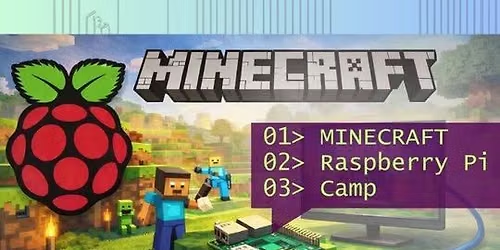
If your student already has some coding experience and wants to go deeper than “just playing,” this camp turns Minecraft into a real tech project. Students will set up a Raspberry Pi as a Minecraft server, learn to manage it like a mini sysadmin, and host a small multiplayer world for a few friends. They’ll work in the command line, connect remotely, tune server settings, and learn what’s really happening when players join a server, without spending the whole week staring at screens.
(Because a Pi server is meant for smaller groups, it’s perfect for learning: you get the joy of “my server, my rules,” plus real-world computing skills.)
What you'll learn
How a Minecraft multiplayer server works (client vs. server, worlds, players, rules)
Raspberry Pi essentials: Raspberry Pi OS, file management, and basic command line navigation
How to connect to and manage a computer “headlessly” using SSH (remote access)
Installing and managing required software (including modern Java used by common Minecraft server builds)
Setting up a Minecraft server using a common optimized server package (often Paper) and learning what server “performance” means
Configuring a server: key settings, permissions, and player access (ex: ops/whitelist concepts)
Networking fundamentals: IP addresses, local network play, and what it takes to make a service reachable (including why Minecraft servers commonly use port 25565)
Good server habits: safe restarts, basic troubleshooting, and simple backup practices
A taste of “coding mindset” through configuration, scripts, and structured problem-solving (test → observe → fix)
Class Format
The day is divided into learning blocks of 60-90 minutes with breaks, lunch and plenty of other enrichment activities built in!
The age range (11-15) is a suggestion. Contact us to ask if you have questions - we can let you know what the current age range of those booked is.
Extended pickup time option available at checkout
(Because a Pi server is meant for smaller groups, it’s perfect for learning: you get the joy of “my server, my rules,” plus real-world computing skills.)
What you'll learn
How a Minecraft multiplayer server works (client vs. server, worlds, players, rules)
Raspberry Pi essentials: Raspberry Pi OS, file management, and basic command line navigation
How to connect to and manage a computer “headlessly” using SSH (remote access)
Installing and managing required software (including modern Java used by common Minecraft server builds)
Setting up a Minecraft server using a common optimized server package (often Paper) and learning what server “performance” means
Configuring a server: key settings, permissions, and player access (ex: ops/whitelist concepts)
Networking fundamentals: IP addresses, local network play, and what it takes to make a service reachable (including why Minecraft servers commonly use port 25565)
Good server habits: safe restarts, basic troubleshooting, and simple backup practices
A taste of “coding mindset” through configuration, scripts, and structured problem-solving (test → observe → fix)
Class Format
The day is divided into learning blocks of 60-90 minutes with breaks, lunch and plenty of other enrichment activities built in!
The age range (11-15) is a suggestion. Contact us to ask if you have questions - we can let you know what the current age range of those booked is.
Extended pickup time option available at checkout
Advertisement
Where is it happening?
Rocket City Lasers, 2610 Clinton Ave W, Huntsville, AL 35805-3046, United States
Event Location & Nearby Stays:
Know what’s Happening Next — before everyone else does.
Host or PublisherRocket City STEM