Bootcamp: 3-hour 3D Modelling Workshop for Kids
Schedule
Mon, 01 Jun, 2026 at 09:00 am to Thu, 04 Jun, 2026 at 02:00 pm
UTC+08:00Location
The Young Maker (Lowland Road) | Paya Lebar, SG

About this Event
3D Modelling Holiday Workshop: Design, Create & Bring Your Ideas to Life!
Date: 1 June 2026
Time: 2 pm to 5 pm
Venue: 35 Lowland Road Singapore 547439
Duration: 3 hours
Skill Level: Beginner-friendly
🧠 About the Workshop
Ever wondered how 3D objects are designed before they are printed, animated, or used in games and products?
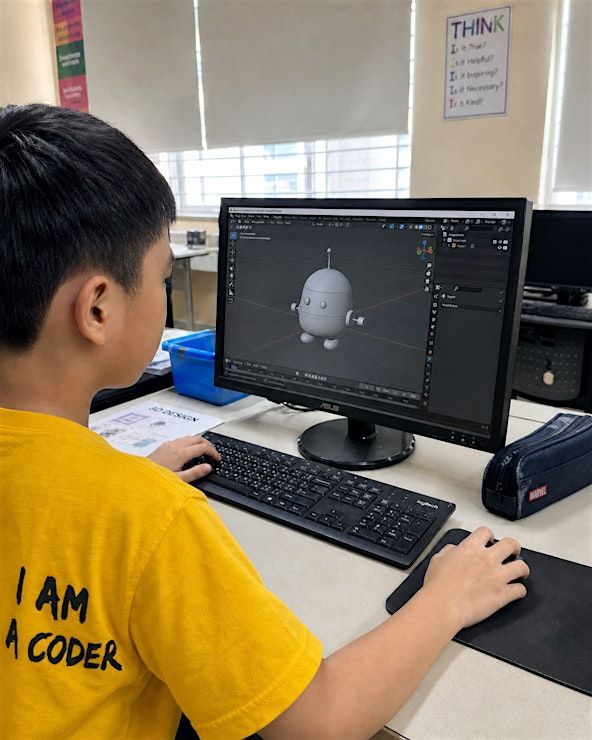
Join us for an exciting Introduction to 3D Modelling with Tinkercad holiday workshop, where students will explore the world of digital design and learn how to create their own 3D models from scratch.
In this hands-on session, students will learn:
- What 3D modelling is and how it is used in real-world design
- How to navigate the Tinkercad workspace
- How to create objects using basic 3D shapes
- How to move, resize, rotate, align and group objects
- How to combine shapes to form more complex designs
- How to use holes and solid shapes to customise their models
- How to design with measurements, proportions and spatial awareness
- How 3D models can be prepared for future 3D printing
Students will be guided step by step as they learn how digital models are created, edited and improved through the design process.
🧩 Hands-On Activities
Get ready to design and create! This workshop is not just about learning the tools — students will be building their own digital 3D creations using Tinkercad.
🧱 Tinkercad Basics & Shape Building
Students will start by learning how to use simple shapes such as boxes, cylinders, spheres and cones to build 3D objects. They will practise moving, scaling, rotating, aligning and grouping shapes to understand how 3D models are constructed.
🎨 Create Your Own 3D Design
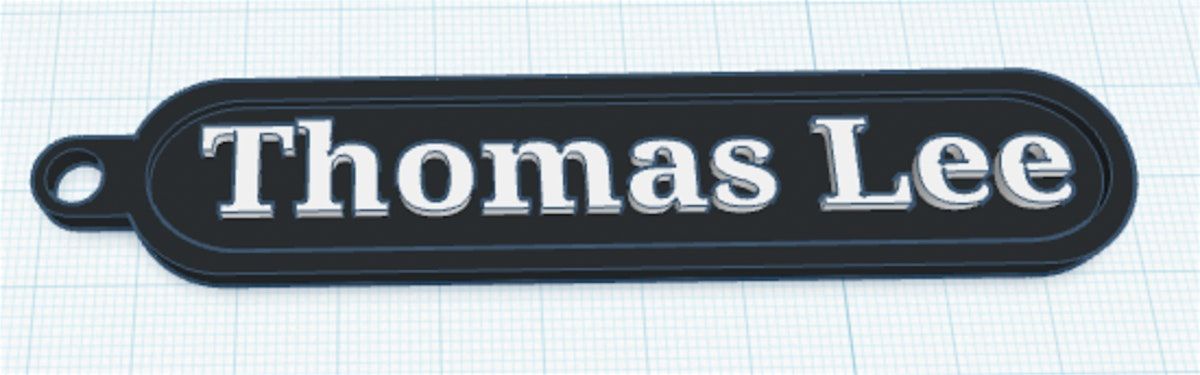
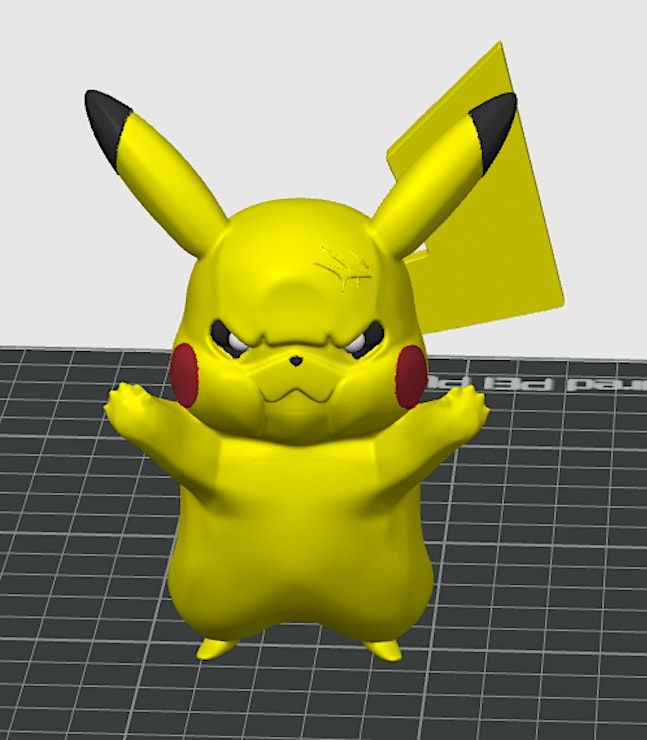
Students will apply what they have learnt to create their own custom 3D model. They may design objects such as a keychain, name tag, mini character, simple toy, gadget accessory or decorative item.
Through this activity, students will learn how to plan their design, break it down into smaller shapes and combine them into a complete model.
🛠️ Improve & Customise Your Model
Students will learn how to refine their creations by adding details, using cut-out shapes, adjusting sizes and making their designs cleaner and more personalised.
By the end of the workshop, students will understand how to use Tinkercad to turn their ideas into digital 3D models.
✨ What You’ll Learn
- 3D modelling fundamentals and real-world applications
- How to use Tinkercad’s beginner-friendly design tools
- How to build models using basic shapes
- How to move, resize, rotate, align and group objects
- How to use solid and hole shapes to customise designs
- Basic design thinking and spatial awareness
- How 3D models can be prepared for 3D printing
🎁 What You’ll Take Home
- A completed digital 3D model created in Tinkercad
- A personalised 3D design such as a keychain, name tag, mini object or character
- A better understanding of how 3D designs are made before 3D printing
- Confidence to continue creating 3D models independently after the workshop
https://youtube.com/shorts/hRuQSox6xOU
Agenda
Topic #1: Introduction to 3D Modelling & Printing
Info: Students will learn what 3D printing is and how it works as an additive manufacturing process, where objects are built layer by layer from a digital design. They will explore the different materials that can be used in 3D printing, such as plastics, ceramics, glass, metals and even organic materials. Students will also be introduced to the basic 3D printing workflow: creating a CAD model, exporting it as an STL or 3MF file, slicing it into G-code, and sending it to a 3D printer.
Topic #2: Getting Started with TinkerCAD
Info: Students will learn how to set up and navigate TinkerCAD, including creating an account, opening a new 3D design and understanding the workspace. They will practise using the shape library, changing views, using mouse controls and keyboard shortcuts, and placing objects onto the workplane. This gives them the confidence to start creating their own digital 3D designs from scratch.
Topic #3: Designing a Personalised Name Tag Keychain
Info: Students will learn how to design their own personalised 3D name tag keychain using TinkerCAD. They will begin by combining basic shapes such as boxes and cylinders to create the main body of the name tag, before learning how to resize, align and group the shapes accurately.
Students will also learn how to use hole shapes to cut out parts of their design, such as the keychain opening, and how to add customised text to personalise their name tag. Through this activity, they will practise important 3D modelling skills such as measurement, alignment, grouping, resizing and using positive and negative shapes.
By the end of this activity, students will have created a unique digital name tag design that can be prepared for 3D printing and turned into a physical keychain they can keep.
Where is it happening?
The Young Maker (Lowland Road), 35 Lowland Road, Paya Lebar, SingaporeEvent Location & Nearby Stays:
SGD 189.70



![Coding & Robotics: 2 Day Scratch Jr. Holiday Workshop Ages 5-6 [SOK]](https://cdn-ip.allevents.in/s/rs:fill:500:250/g:sm/sh:100/aHR0cHM6Ly9jZG4tYXouYWxsZXZlbnRzLmluL2V2ZW50czQvYmFubmVycy85MjI2ZDI0MWI0NjRhY2E1MzBiMmIyODZiNjJlOWM4NTQ2ZjEyN2U2NDc0YTIxMjhlYjc4MDkwM2UwNWFkODQ0LXJpbWctdzk0MC1oNDcwLWRjMTcxNDEzLWdtaXIuanBnP3Y9MTc3NzY4MTMyOA.avif)