DaVinci Resolve Foundations: Beginner Video Editing Course (Ages 10-14)

About this Event
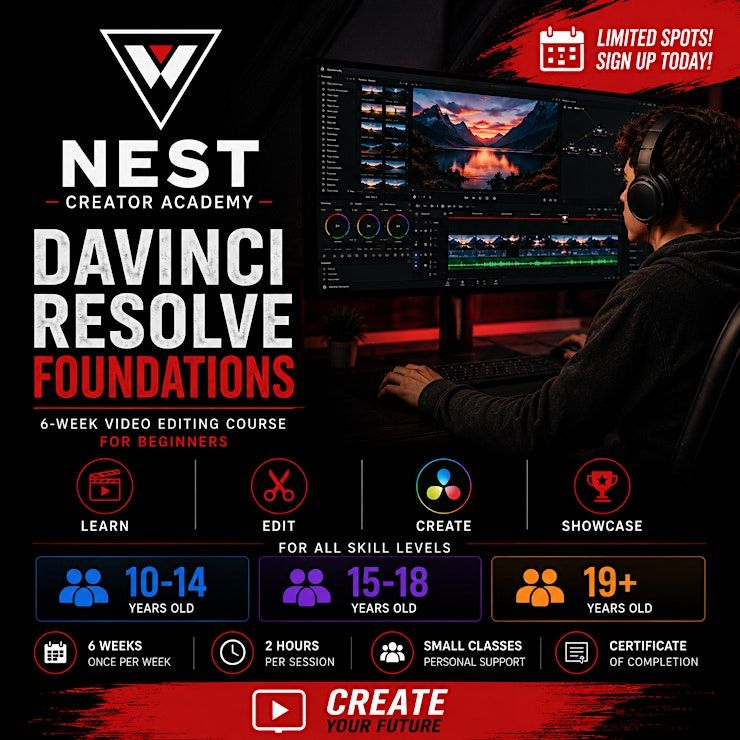
DaVinci Resolve Foundations (Beginner)
Learn professional video editing from the ground up in this 6-week beginner course with NEST Creator Academy.
Whether you're interested in YouTube, social media, gaming, filmmaking, or simply want to learn a valuable creative skill, this hands-on course will teach you how to confidently edit videos using DaVinci Resolve—one of the world's leading professional video editing platforms.
By the end of the course, you'll have created and presented your own finished video project while learning the core editing techniques used by content creators and media professionals.
What You'll Learn
✔ Navigate DaVinci Resolve with confidence
✔ Import and organize media
✔ Edit and trim video clips
✔ Build compelling stories through editing
✔ Add titles, transitions, and effects
✔ Improve audio with music and sound effects
✔ Apply basic colour correction
✔ Export videos for YouTube and social media
✔ Complete your own final video project
Who Is This Course For?
Perfect for:
- Aspiring content creators
- YouTubers
- Streamers
- Gamers
- Future filmmakers
- Students interested in digital media
- Anyone wanting to learn video editing
No previous experience is required.
Course Information
- 6-week instructor-led program
- 2-hour class each week
- Beginner friendly
- Small class sizes
- Hands-on learning
- Certificate of Completion
Age Groups
- Ages 10–14
- Ages 15–18
- Ages 19+
Please register for the event that matches your age group.
What You'll Need
Students should have access to a phone, camera, or other recording device at home to capture footage for personal assignments and their final project.
Attendance Policy
Registration reserves your place in the entire 6-week course, not an individual class.
Classes take place on the same day and time each week. For example, if your course begins on a Monday, you will attend every Monday at the same time for six consecutive weeks.
Because each lesson builds upon the previous one, students are expected to attend every class.
Due to instructor scheduling and class capacity, we are unable to offer make-up classes, transfers, or rescheduled sessions for missed classes.
Weekly Course Outline
Week 1
Introduction to Video Editing & DaVinci Resolve
Week 2
Building a Story
Week 3
Titles, Effects & Transitions
Week 4
Audio & Music
Week 5
Colour Correction & Visual Style
Week 6
Final Project Showcase & Graduation
Detailed Weekly Curriculum (Google Slides)
https://docs.google.com/presentation/d/1_u-LxKLmxuuWgkxrWVlMEarnw2IGmT2_/edit?usp=sharing&ouid=102796852183445154495&rtpof=true&sd=true
Where is it happening?
Event Location & Nearby Stays:
CAD 258.23