Data Analysis using MS Excel
Schedule
Sat Jul 11 2026 at 08:00 am to 05:00 pm
UTC+08:00Location
Mpower Learning Manila | Mandaluyong City, MM

About this Event
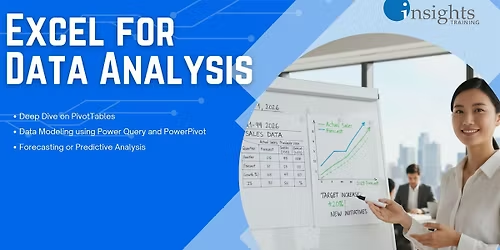
This training program positions Microsoft Excel as a practical and powerful data analysis tool for business and operational decision-making. Participants progress from understanding the data analytics process to performing descriptive, statistical, and predictive analysis using built-in Excel tools such as PivotTables, Power Query, Power Pivot, Analysis Toolpak, What-If Analysis, and forecasting functions. The course emphasizes hands-on analysis, proper interpretation of results, and confidence in handling real-world datasets across multiple Excel versions.
Excel 2007, Excel 2010, Excel 2013, Excel 2016, Excel 2019, Office 365, Microsoft 365
By the end of this training, participants will be able to:
- Understand the end-to-end data analytics process and distinguish between descriptive, statistical, and predictive analytics
- Analyze and summarize large datasets efficiently using advanced PivotTable techniques
- Prepare and model data using Power Query and Power Pivot for scalable analysis
- Perform statistical analysis using Excel’s Analysis Toolpak and interpret results correctly
- Apply forecasting and predictive techniques to identify trends, relationships, and future outcomes
- Present analytical results clearly to support business decisions
Who This Course Is For
- Professionals involved in reporting, analysis, and decision support
- Analysts, supervisors, and managers working with operational or performance data
- Excel users who want to move beyond formulas into structured analytics
- Teams preparing for advanced reporting, forecasting, or dashboard development
Methodologies
- Hands-on analytical exercises using realistic datasets to reinforce concepts in PivotTables, statistics, and forecasting.
- Guided interpretation and validation sessions to ensure participants understand results, assumptions, and limitations of each analytical method.
INCLUSIONS
F or onsite:
- printed handout
- printed certificate
- AM and PM snacks
- fastfood lunch
- candies and coffee
- WIFI access
- Bring own laptop
F or via Zoom:
- PDF handout
- PDF certificate
Where in Cubao:
Mpower Learning Manila
222 Vivaldi Residences, 628 EDSA cor Aurora Blvd., Cubao, Quezon City
O UTLINE
Outline
Part 1. Fundamentals of Data Analytics
•Data Analytics Process Flow and Cycle
•Types of Data Analytics
•Descriptive Analytics
•Statistical Analytics
•Predictive Analytics
Part 2. Deep Dive on PivotTables
•Review of Basic Pivot Table Features
• Grouping Dates and Text Data
• Formatting Numbers
• Creating Slicers and Timelines
• Changing Data Presentation
• Show Values as
• Changing Calculation
• Creating Formulas: Calculated Fields and Items
• Adding Texts in the Pivot Table Value Area
Part 3. Data Modeling using Power Query and PowerPivot
• Importing Data to Power Pivot
• Introduction to Power Query
• Choosing Only Needed Columns
• Basic Data Wrangling in Power Query
• Modifying Text Data
• Creating Conditional Columns
• Creating PivotTables from PowerPivot
• Creating Calculated Columns in a Power Pivot Table
• Introduction to DAX Formulas
Part 4. Performing Statistical Analysis
•. Using the Analysis Toolpak
• Descriptive Statistics
• Understanding Standard Deviation
• Understanding the Empirical Rule (68-95-99.7 Rule)
•. Visualizing Data Distribution using Histogram
•. Using Skewness and Kurtosis to Analyze Data
• Analyzing Variance
• Understanding Variance and Formulating the Null Hypothesis
• ANOVA Test
• Performing F-Test
Part 5. Forecasting or Predictive Analysis
• Using What If Analysis Tools
• Goal Seek and Solver
• Scenario Manager
• Forecasting Tools in. MS Excel
• Types of Forecast: Regression Analysis and Exponential Smoothing
• Analyzing Trend using Excel Functions (FORECAST.LINEAR, CORREL, etc.)
• Regression Analysis using Analysis Toolpak
• Identifying the R-Square
• P-Value
• Calculating Trend Manually
• Presenting Regression using Scatter Chart
• Creating a Forecast Sheet (Exponential Smoothing)
Where is it happening?
Mpower Learning Manila, 222 Vivaldi Residences, 628 EDSA c.or Aurora Blvd, Mandaluyong City, PhilippinesEvent Location & Nearby Stays:
PHP 1153.84 to PHP 2599.00