Animation 1

Advertisement
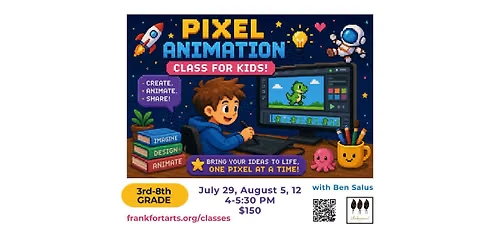
Students will learn the basics of pixel animation using the free, open-source animation tool Piskel. Through hands-on projects, students will explore how frame-by-frame animation creates the illusion of movement.
In this class, students will learn how to change the color, shape, size, and placement of pixel images, then use those skills to create their own animated GIFs.
Class 1: Pixel Art Basics
Students will learn how to use Piskel to create simple pixel art. They will practice changing colors, shapes, sizes, and positions to understand how small visual changes can create movement.
Class 2: Frame-by-Frame Animation
Students will create a 20-frame animated cartoon and learn how to save and download their project as a GIF file.
Class 3: Personal Photo Animation
Students will upload their downloaded animation and import a photo of themselves. They will adjust the image size and pixel count, then animate the picture with fun effects such as laser eyes, silly hair, dripping boogers, glowing fingers, and other creative additions.
Student Requirements
Students will need to bring a laptop with Wi-Fi capability. They will also need one of the following:
• a working laptop camera and camera app so they can take a picture of themselves during class, or
• a previously downloaded picture of themselves saved on their laptop.
By the end of the course, students will have created their own pixel animations and learned the fundamentals of digital animation in a fun, creative way.
Instructor: Ben Salus
Dates and Time:
Wednesdays, July 29, August 5, 12
4:00 - 5:30 PM
Location: Underground, 20 S. White St
Ages: 3rd - 8th Grade
Minimum Students: 3
Maximum Students: 12
Price Per Student: $150
Register at
https://www.frankfortarts.org/service-page/animation-1
In this class, students will learn how to change the color, shape, size, and placement of pixel images, then use those skills to create their own animated GIFs.
Class 1: Pixel Art Basics
Students will learn how to use Piskel to create simple pixel art. They will practice changing colors, shapes, sizes, and positions to understand how small visual changes can create movement.
Class 2: Frame-by-Frame Animation
Students will create a 20-frame animated cartoon and learn how to save and download their project as a GIF file.
Class 3: Personal Photo Animation
Students will upload their downloaded animation and import a photo of themselves. They will adjust the image size and pixel count, then animate the picture with fun effects such as laser eyes, silly hair, dripping boogers, glowing fingers, and other creative additions.
Student Requirements
Students will need to bring a laptop with Wi-Fi capability. They will also need one of the following:
• a working laptop camera and camera app so they can take a picture of themselves during class, or
• a previously downloaded picture of themselves saved on their laptop.
By the end of the course, students will have created their own pixel animations and learned the fundamentals of digital animation in a fun, creative way.
Instructor: Ben Salus
Dates and Time:
Wednesdays, July 29, August 5, 12
4:00 - 5:30 PM
Location: Underground, 20 S. White St
Ages: 3rd - 8th Grade
Minimum Students: 3
Maximum Students: 12
Price Per Student: $150
Register at
https://www.frankfortarts.org/service-page/animation-1
Advertisement
Where is it happening?
20 S. White St, Frankfort, IL, United States, Illinois 60423
Event Location & Nearby Stays:
Know what’s Happening Next — before everyone else does.
Host or PublisherFrankfort Arts Association