Work Faster with Microsoft Office Copilot AI— In-Person Training Calgary
Schedule
Tue May 19 2026 at 12:30 pm to 04:30 pm
UTC-06:00Location
Macleod Trail Southwest | Calgary, AB

About this Event
Microsoft Copilot can save you hours every week—but only if you know how to use it properly.
Group & Early Bird Discounts:
- Save 10% when registering 3 or more participants
- Save 16% with early bird registration
Duration: 4 Hour (12:30 PM – 4:30 PM)
Delivery Mode: Classroom (In-Person)
Language: English
Certification: Course Completion Certificate
Refreshments: Beverages, and light snacks included
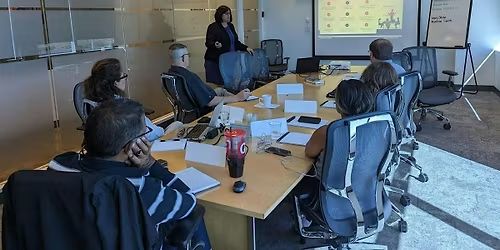
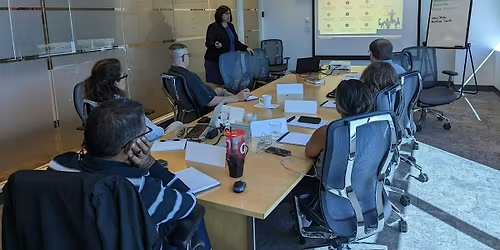
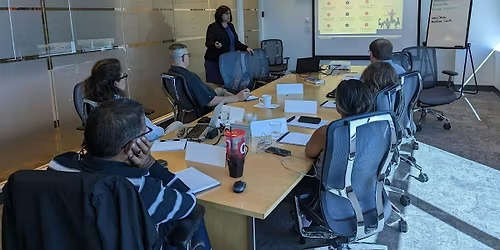
In this 4-hour, hands‑on workshop by Skillgine, you’ll learn how to turn Copilot into your personal AI work assistant. You’ll practise real tasks using Word, Excel, Outlook, and Copilot Chat—not demos or theory.
This workshop is built for busy professionals, solopreneurs, and business owners who want clear results, not technical complexity.
You’ll leave knowing how to:
- Write prompts that actually work
- Create emails, documents, and reports faster
- Analyse data without Excel stress
Less busy work. Better results. One practical day with Copilot.
Why Choose Skillgine
🔹 The most practical Copilot training in Canada
Learn by doing. Real work, real examples, real results.
🔹 30‑minute 1‑on‑1 follow‑up consultation
Get personal help applying Copilot to your work after the workshop.
🔹 15 days of email support
Questions don’t stop after class. We’re still there.
🔹 Copilot is all we do
No generic AI. No mixed tools. Just deep Copilot expertise.
🔹 30 days of Copilot updates
Stay current as Copilot evolves.
🎁 BONUS: Copilot Mastermind 30-day access ($129 value)
Real use cases, workflows, and ongoing learning.
Hands‑On Format
- Live demonstrations followed by guided exercises
- Real‑world examples relevant to solopreneurs and professionals
- Practical worksheets and prompt templates
- Q&A throughout the day
What You’ll Walk Away With
Participants receive:
- Skillgine Certificate of Completion
- Copilot prompt library for daily use
- Practical business workflows you can reuse immediately
- Confidence integrating Copilot into your work
Skillgine training is designed to help you save hours every week, improve output quality, and reduce stress, as highlighted across its solopreneur and individual training programmes
Requirements
- Microsoft 365 account
- Copilot Premium licence recommended for full hands‑on experience
- Laptop required
Agenda
Work with Copilot as Your AI Business Partner
Info: What Copilot can (and cannot) do inside Microsoft 365
Where Copilot appears: Word, Excel, Outlook, Teams, and Copilot Chat
How to give Copilot the right context for accurate results
Write Clear, Effective Prompts
Info: How to use natural language instead of complex instructions
Structuring prompts for better output quality
Using follow‑up prompts to refine results
Common prompt mistakes—and how to avoid them
Create Professional Documents Faster (Word)
Info:
Draft proposals, reports, and content from scratch
Rewrite, re‑structure, and summarise existing documents
Change tone, length, and format instantly
Turn rough notes into polished outputs
Take Control of Email & Communication (Outlook)
Info: Summarise long email threads
Draft professional replies in seconds
Create follow‑ups, reminders, and action lists
Reduce inbox overwhelm and decision fatigue
Analyse Data Without Being an Excel Expert (Excel)
Info: Ask questions about your data in plain English
Generate insights, trends, and explanations
Create summaries, comparisons, and basic visuals
Clean and interpret data faster
Use Copilot Responsibly & Confidently
Info: Best practices for safe and effective AI use
Understanding Copilot outputs and limitations
Reviewing, refining, and validating results
Building trust in your AI‑assisted workflow
Where is it happening?
Macleod Trail Southwest, Macleod Trail Southwest, Calgary, CanadaEvent Location & Nearby Stays:
CAD 469.93 to CAD 640.34