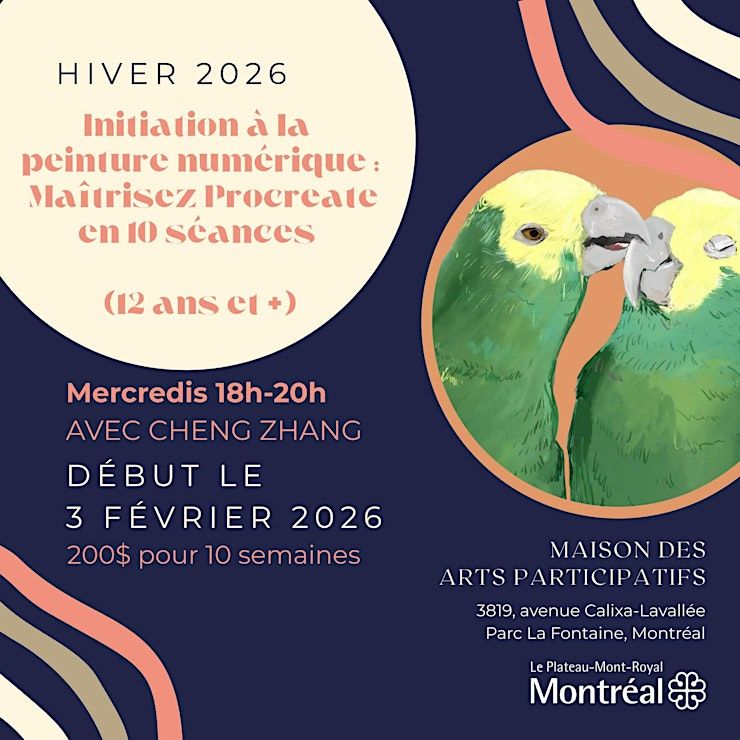
Digital Painting Introduction: Master Procreate in 5 Sessions
Schedule
Wed Feb 04 2026 at 06:00 pm to 08:00 pm
UTC-05:00Location
Maison des Arts Participatifs | Montréal, QC

About this Event
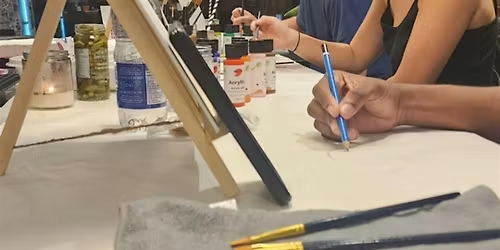
This is a digital painting course designed for beginners. Through 5 systematic sessions, you'll learn Procreate's core features and creative techniques from scratch. Each session is about 2 hours, with the first half for demonstration and the second half for hands-on practice.
Basic Operations & Tools
- Familiarize with Procreate interface navigation and layer management
- Master color picker tools and personalization settings
- Explore different brushes and simple line exercises
Lines & Shapes
Learn straight and curved line control techniques, use geometric assist tools, and practice simple object sketches (fruits, cups, and other everyday items).
Color & Color Mixing
- Understand color wheel and color matching principles
- Learn layer blending modes
- Create personal color palettes
Digital Watercolor Techniques
Master watercolor brush selection and settings, learn wet and dry painting simulation, complete simple watercolor still life (flowers or leaves).
Texture & Materials
Learn different material expressions (wood, fabric, metal), custom brushes and texture overlay, creative collage exercises.
Final Project
Create personal works combining learned techniques, learn work adjustment and refinement, master export settings and product applications (wallpapers, greeting cards, etc.).
Learning Philosophy
- Progressive learning: From basic operations to advanced techniques, systematic learning
- Practice-oriented: Each session has ample hands-on practice time
- Personalized creation: Encourage students to find their own style and expression
- Project-oriented: Aim to complete actual works, learning by doing
Course Content
1. Familiarize with Procreate Operations & Lines
- —Interface navigation, layer management, importing images
- —Color picker tools, personalization settings
- —Explore different brushes, simple line exercises
- —Straight and curved line control techniques
- —Using geometric assist tools
- —Simple object sketches (fruits, cups, and other everyday items)
2. Color Basics, Mixing & Texture Exploration
- —Color wheel understanding, color matching
- —Introduction to layer blending modes
- —Simple color matching exercises (creating color palettes)
- —Different material expressions (wood, fabric, metal)
- —Custom brushes and texture overlay
- —Creative collage exercises
3. Animal Painting
- —Basic animal structure and proportions
- —Fur texture expression techniques
- —Drawing cute small animals (cats, rabbits, etc.)
4. Character Illustration Basics
- —Character proportions and facial features
- —Simplified style character design
- —Chibi or illustration style character creation
5. Final Project & Work Export
- —Create personal works combining learned techniques
- —Work adjustment and refinement
- —Export settings, product applications (wallpapers, greeting cards, etc.)
For more details:
https://chengz.art/en/courses/digital-painting
https://app.amilia.com/store/fr/maison_des_arts_participatifs/shop/activities/6584572
Agenda
🕑: 06:00 PM - 08:00 PM
Digital Painting Introduction: Master Procreate in 5 Sessions (5 weeks)
Host: Cheng Zhang
Info: Address: Centre culturel Calixa-Lavallée Parc La Fontaine, 3819 Av. Calixa-Lavallée, Montréal, QC H2L 3A7
Where is it happening?
Maison des Arts Participatifs, 3819 Avenue Calixa-Lavallée, Montréal, CanadaEvent Location & Nearby Stays:
CAD 107.83






![HUMOUR STAND UP COM\u00c9DIE - Spectacle Open Mic Gratuit [VRAIOPENMIC.COM]](https://cdn-ip.allevents.in/s/rs:fill:500:250/g:sm/sh:100/aHR0cHM6Ly9jZG4tYXouYWxsZXZlbnRzLmluL2V2ZW50czUvYmFubmVycy8zYjdlMGI4M2Q5N2NkNGViZDgwNjgzMTY5YzBhZTkyYWRjZjk0M2Q0MjdjZjkyYTNhMWJlYWM0NGZhOTdhOWJkLXJpbWctdzEyMDAtaDYwMC1kY2ZlZjNkZS1nbWlyLmpwZz92PTE3NjY5MTA3MTA.avif)